Inventory and low stock
Knowing what you have, and being told before you run out.
Where to find it
Sidebar → Inventory → Stock Levels for current stock, and Sidebar → Inventory → Low Stock for what needs reordering. The same Inventory group also holds Warehouses — see Shipping & delivery.
Low Stock
Two tabs: Report and Settings.
The report
Three figures at the top, covering your whole catalogue rather than just the page you are looking at:
| Card | What it counts |
|---|---|
| Low Stock | Items at or below their threshold |
| Out of Stock | Items at zero |
| Total Value | What the remaining stock is worth |
The table below shows product, SKU, category, brand, Current stock, Threshold and status. Sort by Quantity (low → high), Quantity (high → low), Name (A → Z), Name (Z → A) or most recently updated, and search by SKU or name.
Sort by quantity low-to-high and work down the list. That is your reorder list, in priority order.
Settings
Default threshold — the level at which a product counts as low. It applies to every product that does not carry its own threshold, so set it to whatever “time to reorder” means for your shop. A shop restocking weekly wants a higher number than one restocking daily.
Notifications — two switches:
- In-app notifications — alerts in the dashboard notification panel
- Email alerts — a periodic digest to the shop admin, sent Daily, Weekly or Monthly
Press Save Settings. Email alerts only make sense at a frequency you will actually read — weekly suits most shops.
Plan note: low stock alerts are a paid feature. Without it the page will not work, though the menu item stays in the sidebar.
Inventory
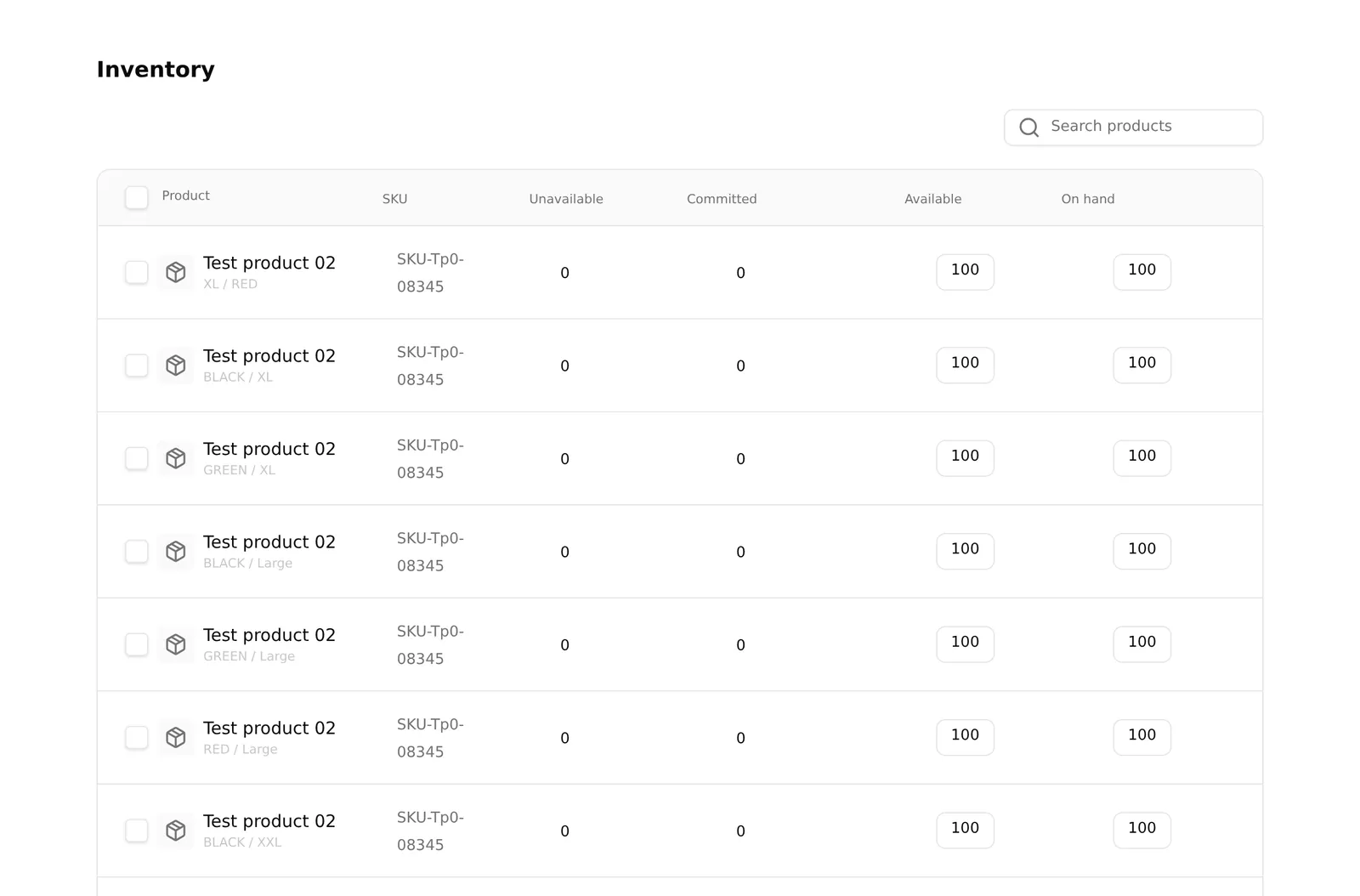
Sidebar → Inventory → Stock Levels lists stock across your catalogue.
Stock also lives on each product, and for products with variants it lives on each variant — a shirt in three sizes has three separate stock numbers. See Variants.
How stock changes
Automatically — every order reduces stock for what was bought.
By hand — edit the product, or a variant, and change the quantity.
A product at zero shows as out of stock on your storefront and cannot be bought. That is the point, but it also means a stock count you never update quietly stops your sales. If you sell in a physical shop as well as online, your online count drifts from reality unless you correct it.
Common problems
“A product shows out of stock but I have some.” The quantity is zero on the product, or on the specific variant the customer picked. Check the variants individually.
“I am not getting low stock emails.” Check that email alerts are on, that the frequency is not Disabled, and that your plan includes the feature.
“Everything shows as low stock.” Your default threshold is too high. Lower it in Settings.
“The stock number is wrong after a cancelled order.” Cancelling does not always return stock automatically — that depends on your Order Flow side-effects. Check the product and correct it by hand if needed.