Products
Everything you sell lives here. This is usually the first place a new shop spends real time, because nothing else in the dashboard does much until you have products to sell.
Where to find it
Sidebar → Products. The menu expands into everything below:
| Menu item | What it’s for |
|---|---|
| All Products | The full list — search, filter, edit, delete |
| Categories | How customers browse your store |
| Brands | Group products by maker |
| Attributes | Reusable options like Size and Colour, used by variants |
| Collections | Curated groups you can feature on your storefront |
| Product Reviews | Moderate what customers wrote |
| Bulk Import | Add many products at once from a spreadsheet |
| Bulk Operations | Change many products at once |
Stock and reports have their own groups in the sidebar now: Inventory → Stock Levels / Low Stock (Inventory & low stock) and Analytics → Product Reports (Product reports).
The product list
The list shows a thumbnail, name, SKU, category, price, stock and status for every product. Above it you get a search box, status tabs — All, Active, Inactive, Draft — and a category filter.
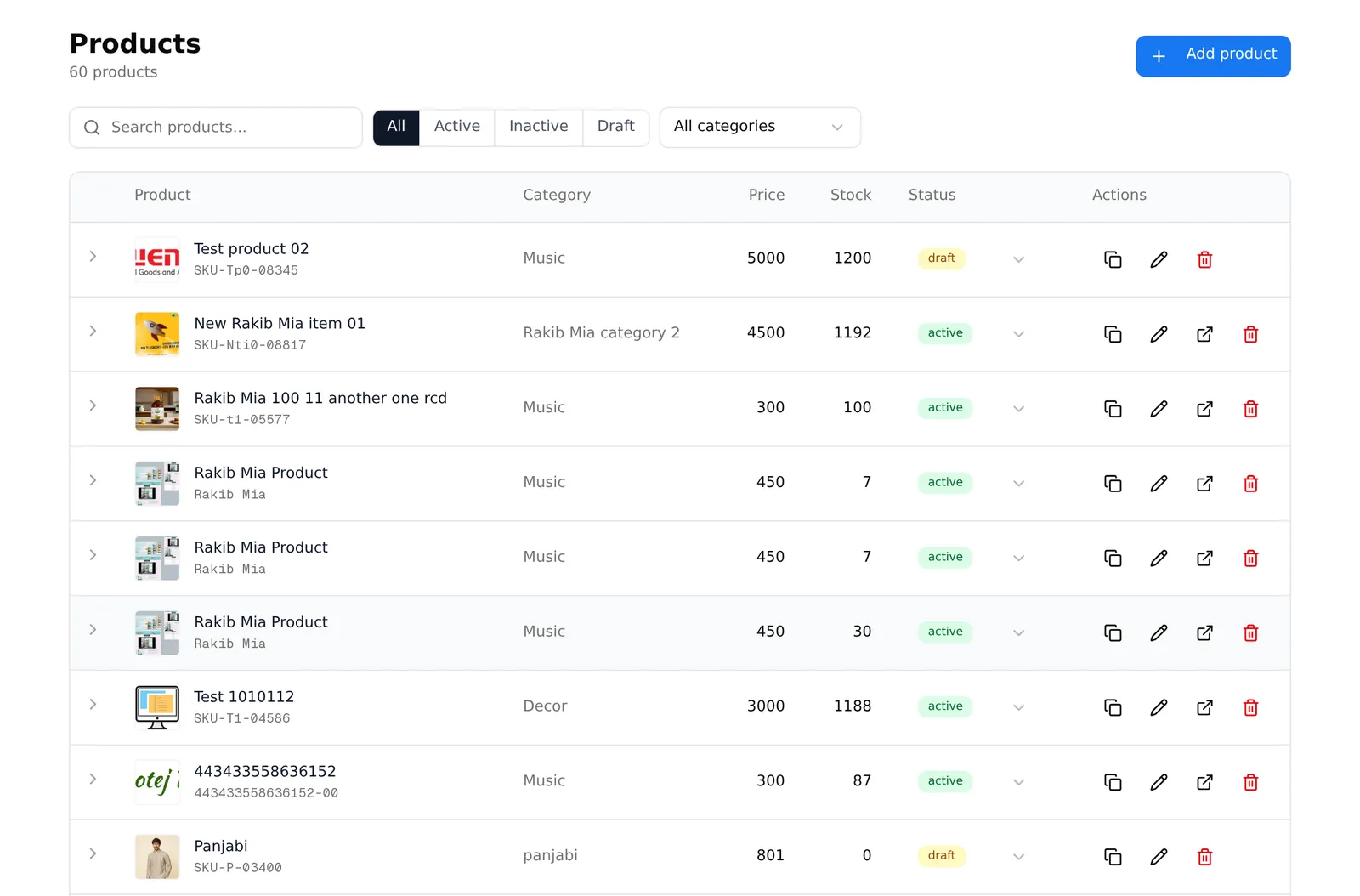
Three things worth knowing:
- Draft products are invisible to customers. This is how you prepare a product without publishing it.
- The row expander (the arrow on the left) opens a product’s variants inline, so you can check sizes and stock without leaving the page.
- Clone product in the Actions column copies everything into a new draft. It is by far the fastest way to add a second product that is nearly the same as one you already sell.
A product needs three things to go live
- A name
- At least one category
- A price — or, if it has variants, a price on each variant
Everything else — description, photos, SEO, related products — improves the listing but is not required to publish.
Common problems
“My product does not show on my storefront.” Check its status is Active, not Draft, and that it has at least one category. A product with no category has nowhere to appear.
“I hit my product limit.” Every plan includes a maximum number of products. When you reach it you will see an upgrade prompt instead of the product form. Your existing products keep working.