Order reports
The order list built for questions rather than for fulfilment: filter hard, read the totals, export the answer.
Where to find it
Sidebar → Analytics → Order Reports.
For charts and period-on-period comparisons, use Statistics instead. Ask AI about your shop on this page opens AI Studio, where you can ask about your sales in plain words.
The four cards at the top
Read these carefully — only the first counts your whole result.
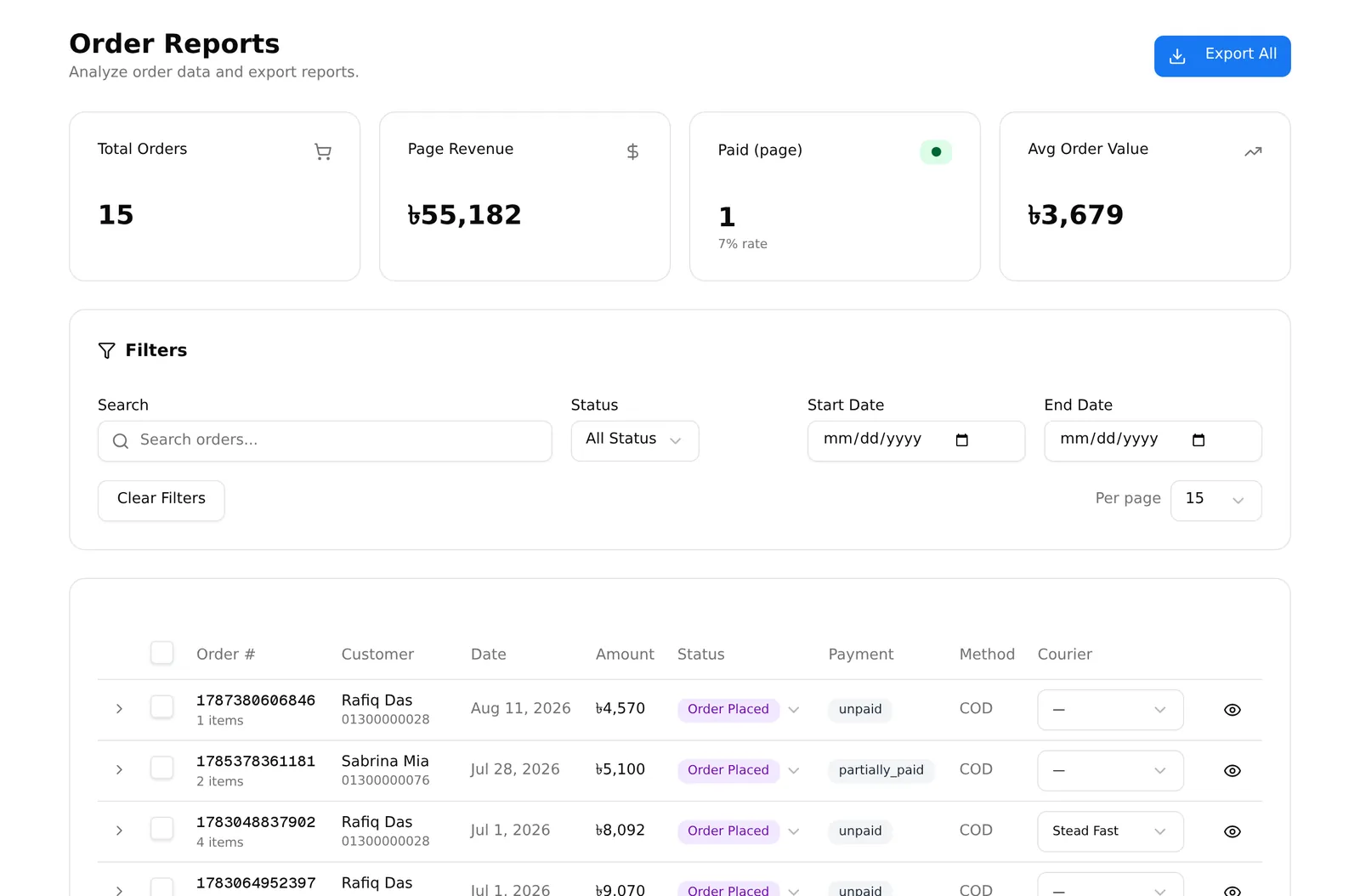
| Card | What it counts |
|---|---|
| Total Orders | Every order matching your filters |
| Page Revenue | Only the orders on the page you are looking at |
| Paid (page) | Only the paid orders on this page |
| Avg Order Value | Average across this page only |
So a filter matching 500 orders shows Total Orders 500, but Page Revenue covers just the 20 rows on screen. The labels say “page” for exactly this reason.
To get a true revenue figure, raise Per page — the selector at the bottom right of the filter card — so every matching order is on one page. Then the cards cover the whole result.
Filters
Search, status, start date and end date, plus per-page size. Clear Filters resets everything.
Search matches the same five fields as the main order list: order ID, order number, customer name, phone number and payment transaction ID.
The table
Order number, customer, date, amount, status, payment status, method and courier. Each row expands to show what was in the order.
You can change status and assign a courier straight from here, the same as on the order list.
Exporting
The button top right reads Export All or Export N Selected, and it does what it says:
- Nothing ticked → exports everything matching your filters
- Rows ticked → exports only those rows
The file is a CSV that opens in Excel or Google Sheets.
Things worth exporting
- Last month, status Delivered — what you actually completed
- Payment status unpaid, method Cash on Delivery — money still to collect
- A date range around a campaign — what the campaign brought in
Common problems
“Page Revenue is much lower than I expected.” It only covers the current page. Increase Per page, or add the amounts from the export instead.
“The export has fewer rows than the table says.” You had rows ticked. Selection overrides the filters.
“My date range returns nothing.” Start and end dates are inclusive but they compare against the order’s creation date, not its delivery date. An order placed in July and delivered in August is a July order.