Checkout settings
Extra questions to ask customers while they check out. A gift message, a delivery note, a preferred time slot — anything you would otherwise have to phone them about.
These fields only collect information. Your payment and checkout flow are unchanged. Adding a field cannot break checkout.
Where to find it
Sidebar → Online Store → Checkout Settings.
Adding a field
Add field gives you four ready-made ones:
| Template | What it asks |
|---|---|
| Gift message | A message to include with the order |
| Delivery instructions | Where to leave it, landmarks, who to call |
| Preferred delivery time | Morning (9am–12pm), Afternoon (12pm–4pm), Evening (4pm–8pm) |
| VAT / business number | For business customers who need it on the invoice |
Or Custom field… to build your own:
- Label — the question the customer sees
- Type — Short text, Long text, Dropdown, Checkbox, or Date
- Options — for a dropdown, one per line
- Placeholder — faint example text in the box
- Required — the customer cannot check out without answering
- Send to courier note — includes the answer in the courier’s delivery instruction
Send to courier note is the one worth thinking about. Delivery instructions are only useful if the rider sees them. Turn it on for anything about where or when to deliver; leave it off for a gift message.
Managing fields
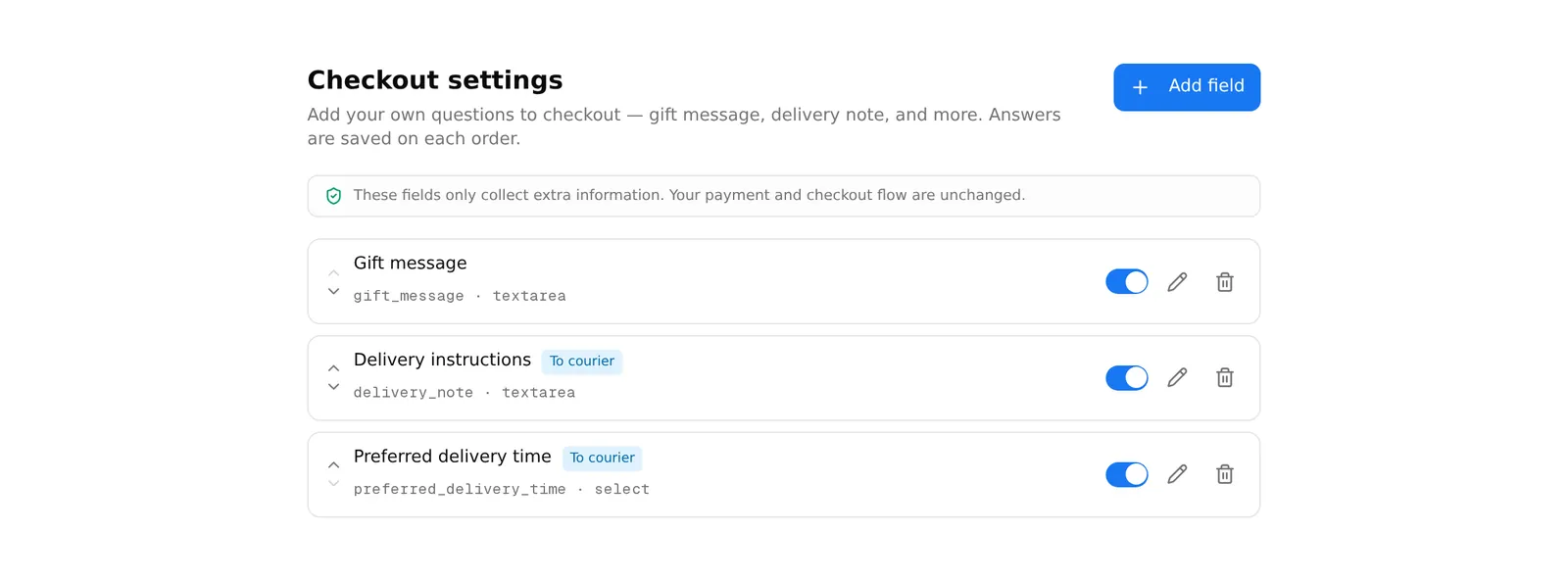
Each row shows the label, whether it is Required, whether it goes To courier, and its type.
- ▲ / ▼ reorder the questions
- The switch shows or hides the field at checkout without deleting it
- The pencil edits it
- The bin deletes it — immediately, with no confirmation
Use the switch rather than the bin. A seasonal field like a gift message can be switched off after Eid and back on next year, keeping the answers already collected.
Where answers appear
Answers are saved on the order and visible when you open it. Fields marked Send to courier note also travel with the order to your courier.
A rule worth following
Only make a field required if you genuinely cannot ship without it. Every required question is one more reason for a customer to abandon their basket. Ask for the VAT number as optional; ask for the delivery landmark as optional too — most people will answer anyway.
Common problems
“I changed a field’s label but the answers look wrong.” The label is what customers see; the underlying key is fixed when the field is created and cannot change. Old answers keep their original key — the data is fine.
“The courier did not get my delivery instructions.” The field’s Send to courier note switch was off, or the order was sent to the courier before you added the field.
“I deleted a field by accident.” There is no undo and no confirmation. Recreate it — answers already collected on past orders are still on those orders.